
Red vs Blue vs Brown Switches: Which Mechanical Keyboard Switch Is Best for Gaming?
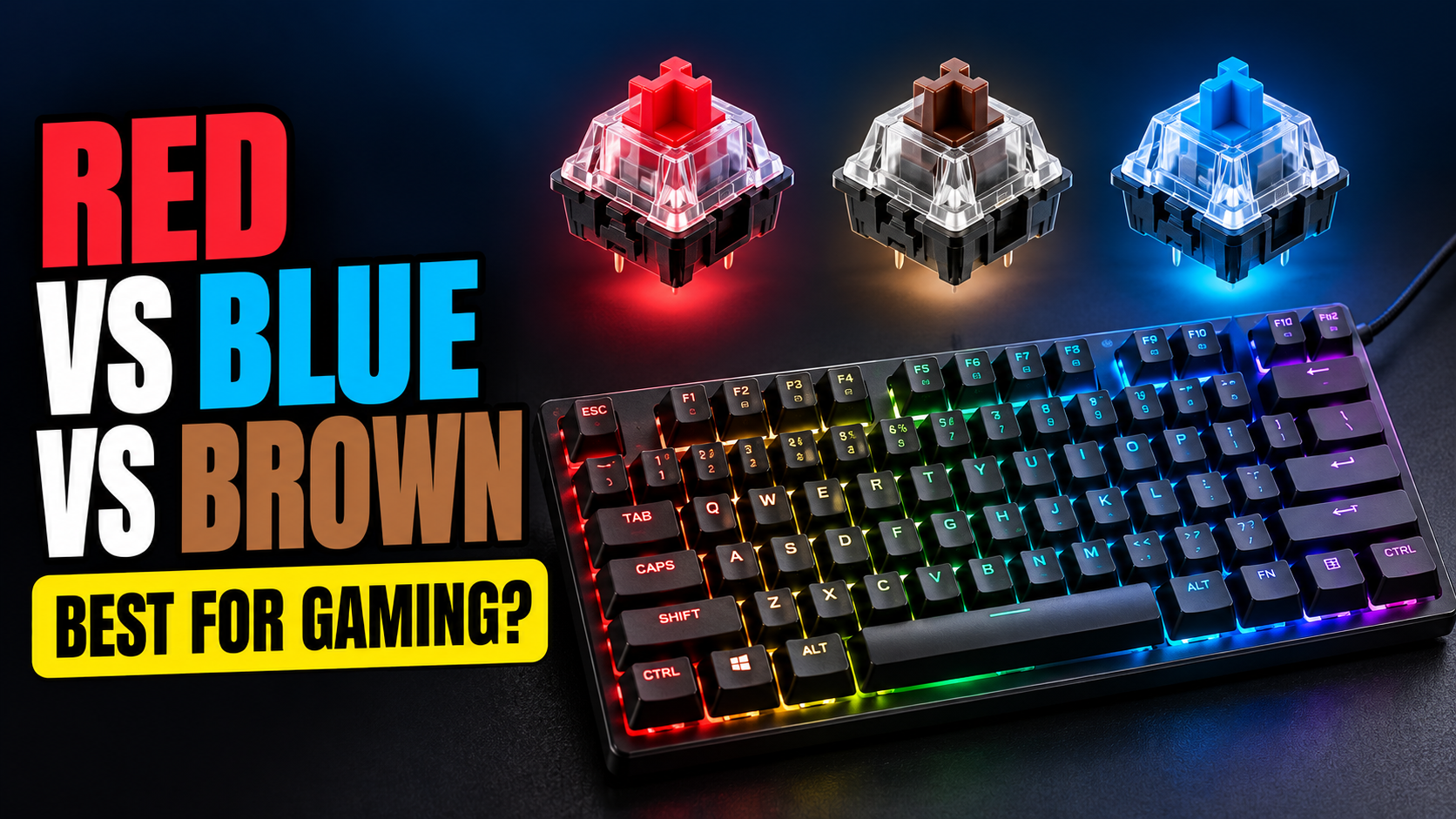
You’ve decided to get your first mechanical keyboard. Good choice. Then you open the product page and it asks you to pick between Red, Blue and Brown switches, like you’re choosing a wire to cut on a bomb.
Don’t worry. The color isn’t decoration. It tells you how each key feels and sounds when you press it. Once you understand the three basic types, the choice gets easy, and you’ll know exactly which one fits how you play.
The Short Answer
| Switch | Type | Feel | Sound | Best For |
| Red | Linear | Smooth all the way down | Quiet | Fast-paced gaming, FPS games |
| Brown | Tactile | Small bump when the key registers | Medium | A mix of gaming and typing |
| Blue | Clicky | Bump plus a loud click | Loud | Typing, and people who live alone |
If you mainly play competitive shooters like CS2 or Valorant, get Reds. If you game and also type a lot for work or studies, get Browns. If you love the clicky sound and nobody shares your room, Blues are fun. Your family may disagree.
What Is a Keyboard Switch?
Under every key on a mechanical keyboard sits a small switch with a spring and a moving part called the stem. When you press the key, the stem pushes down until two metal contacts touch. That’s when your keypress registers. This point is called the actuation point, and on most standard switches it’s about 2mm down.
The color is a naming system that started with Cherry MX switches, the German brand that made mechanical keyboards popular. Today almost every switch maker uses the same colors to mean the same feel, so a Red from Outemu, Gateron or Kailh will behave a lot like a Cherry MX Red.
Red Switches (Linear)
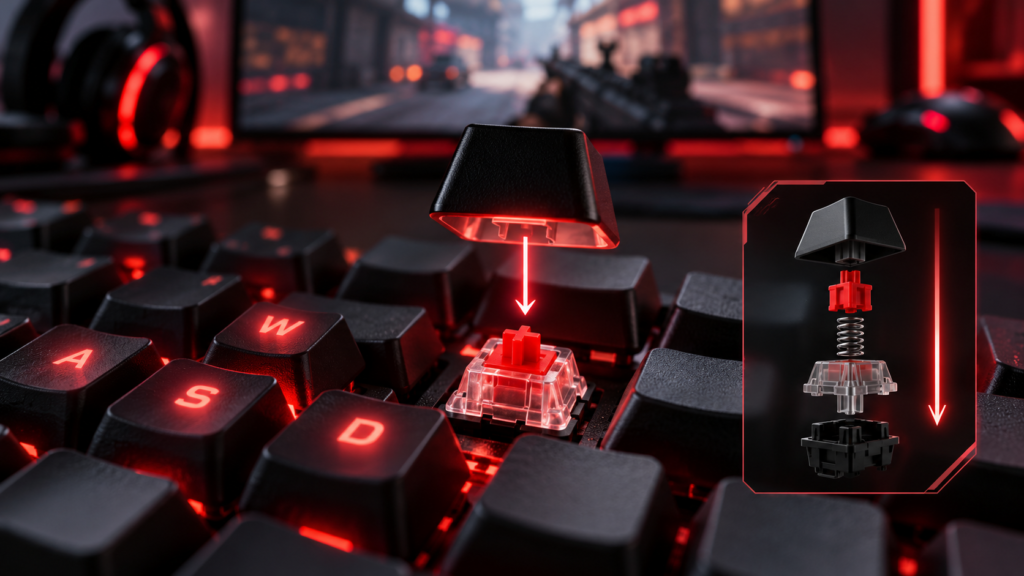
Red switches move straight down with no bump and no click. Press, and the key glides to the bottom smoothly. They’re also light, so they don’t take much force to press.
Why gamers like them: There’s nothing in the way. When you’re tapping keys quickly, strafing in a shooter or spamming abilities, the smooth press makes rapid inputs feel effortless. They’re also quieter than the other two, which helps if you play late at night or use a microphone.
The downside: Because they’re light and smooth, it’s easy to press a key by accident just by resting your finger on it a little too hard. Typing on Reds can feel a bit mushy at first, and you might make more typos for the first week.
Brown Switches (Tactile)
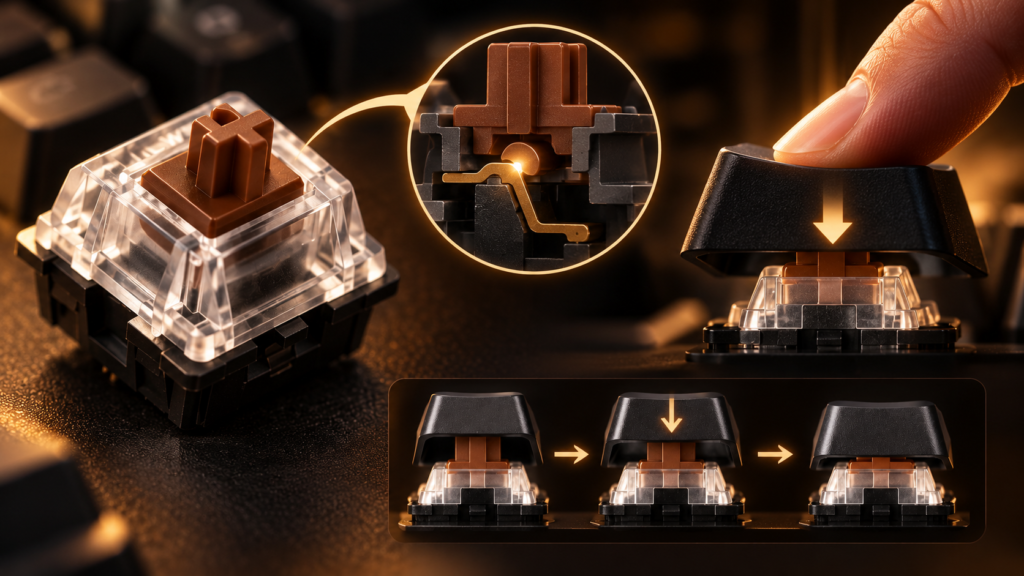
Brown switches have a small bump partway down the press. You feel that bump right around the point where the key registers, so your fingers get a little signal that says “done, you can let go.”
Why people like them: They’re the middle ground. Good enough for gaming, nicer for typing. If your keyboard does double duty for assignments, emails or coding, Browns are often the most comfortable choice.
The downside: The bump is subtle. Some people say Browns feel like “Reds with a bit of sand in them.” If you want a strong, satisfying tactile feel, you might find them underwhelming.
Blue Switches (Clicky)
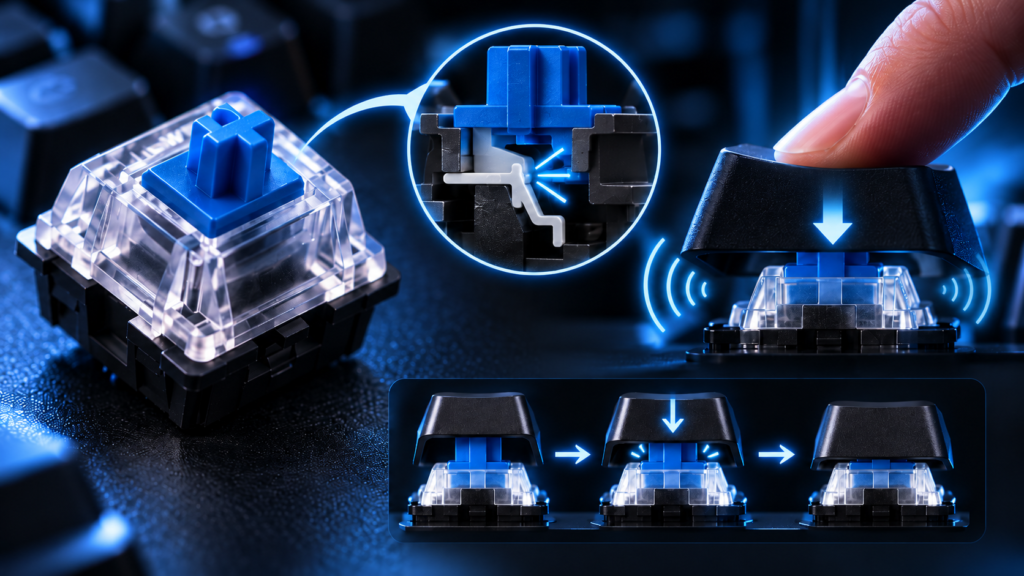
Blue switches have a tactile bump and a loud click when the key registers. That click is the whole point. It sounds like an old typewriter and feels very satisfying when you type.
Why people like them: Typing feels crisp and rewarding. You always know exactly when a key registered.
Why they’re not ideal for gaming: Two reasons. First, the noise. Your teammates will hear every keypress on voice chat, and your roommate will start planning revenge. Second, on many Blue switch designs, the key has to travel back up a bit further before it can register again. That makes very fast double taps slightly slower than on a Red. Most casual players won’t notice, but competitive players often do.
Side by Side
| Red | Brown | Blue | |
| Bump | None | Small | Yes |
| Click sound | No | No | Yes |
| Noise level | Low | Medium | High |
| Fast repeated presses | Best | Good | Slower |
| Typing comfort | Okay | Good | Great |
| Accidental presses | More likely | Less likely | Less likely |
| Voice chat friendly | Yes | Mostly | No |
Which Switch Is Best for Each Type of Game?
| Game Type | Best Pick | Why |
| FPS (CS2, Valorant, Apex) | Red | Smooth, fast and quiet for quick movement keys |
| MOBA (Dota 2, LoL) | Red or Brown | Lots of ability presses, Browns help avoid misclicks |
| MMO and RPG | Brown | Many keys, and the bump helps you hit the right one |
| Strategy (Age of Empires, Civilization) | Brown | Good for hotkeys and long sessions |
| Casual and story games | Any | Pick whatever feels nicest to you |
What About Budget Keyboards?
Most keyboards under ₹2,000 don’t use Cherry switches. They use clones from brands like Outemu, Kailh, Gateron or the keyboard maker’s own switches. That’s fine. The color still tells you the type, so an Outemu Red is still linear and an Outemu Blue is still clicky.
Budget switches can feel a little less smooth or a bit scratchy compared to premium ones. For a first mechanical keyboard, that’s not a big deal. It’ll still feel much better than a cheap membrane keyboard.
Other Switch Types You’ll See
Once you start browsing, you’ll run into a few other names:
- Silver or Speed switches are linear like Reds, but they register even earlier in the press. Very fast, very easy to trigger by accident.
- Silent Reds are Reds with dampeners inside, so they’re even quieter.
- Black switches are linear like Reds but heavier. Good if you have a heavy hand and keep pressing keys by mistake.
- Magnetic (Hall effect) switches use magnets instead of metal contacts. They let you change the actuation point and support a feature called rapid trigger, which resets the key the instant you start lifting your finger. They’re popular with serious CS2 and Valorant players, but they cost more.
Can You Change Switches Later?
If your keyboard is hot-swappable, yes. You can pull the switches out with a small tool and push in new ones, no soldering needed. It’s a great feature for a first keyboard because if you pick Blues and hate them, you can swap to Reds without buying a whole new board.
Check the product listing for “hot-swappable” before you buy. If it doesn’t say so, assume it isn’t.
Try Before You Buy
If you can, go to a computer store and press a few keyboards. Five minutes of pressing keys tells you more than any article, including this one. Some stores and online sellers also sell small switch testers, which are tiny boards with one of each switch type. They’re cheap and they settle the debate quickly.
FAQs
Which switch is best for gaming, red, blue or brown?
Red is the most popular choice for gaming, especially fast shooters. It’s smooth, light and quiet. Brown is a good all-rounder if you also type a lot.
Are blue switches bad for gaming?
Not bad, just not ideal. They’re loud, and fast repeated presses can be slightly slower. For casual gaming they’re perfectly fine.
Which switch is the quietest?
Silent Reds are the quietest, followed by regular Reds. Blues are the loudest by a wide margin.
Are brown switches good for typing?
Yes. Many people find Browns the most comfortable switch for long typing sessions because the small bump tells you when a key registered without the noise of Blues.
Do switches affect my aim or performance?
They won’t make you a better player overnight. But a switch that suits your playstyle makes movement and ability inputs feel more comfortable and consistent, which helps over time.
Ready to pick one up? Check our list of the best mechanical gaming keyboards under ₹1,500, and once it arrives, here’s how to clean it without breaking it.


