
CS2 Float Values Explained: What Factory New, Field-Tested and Battle-Scarred Really Mean
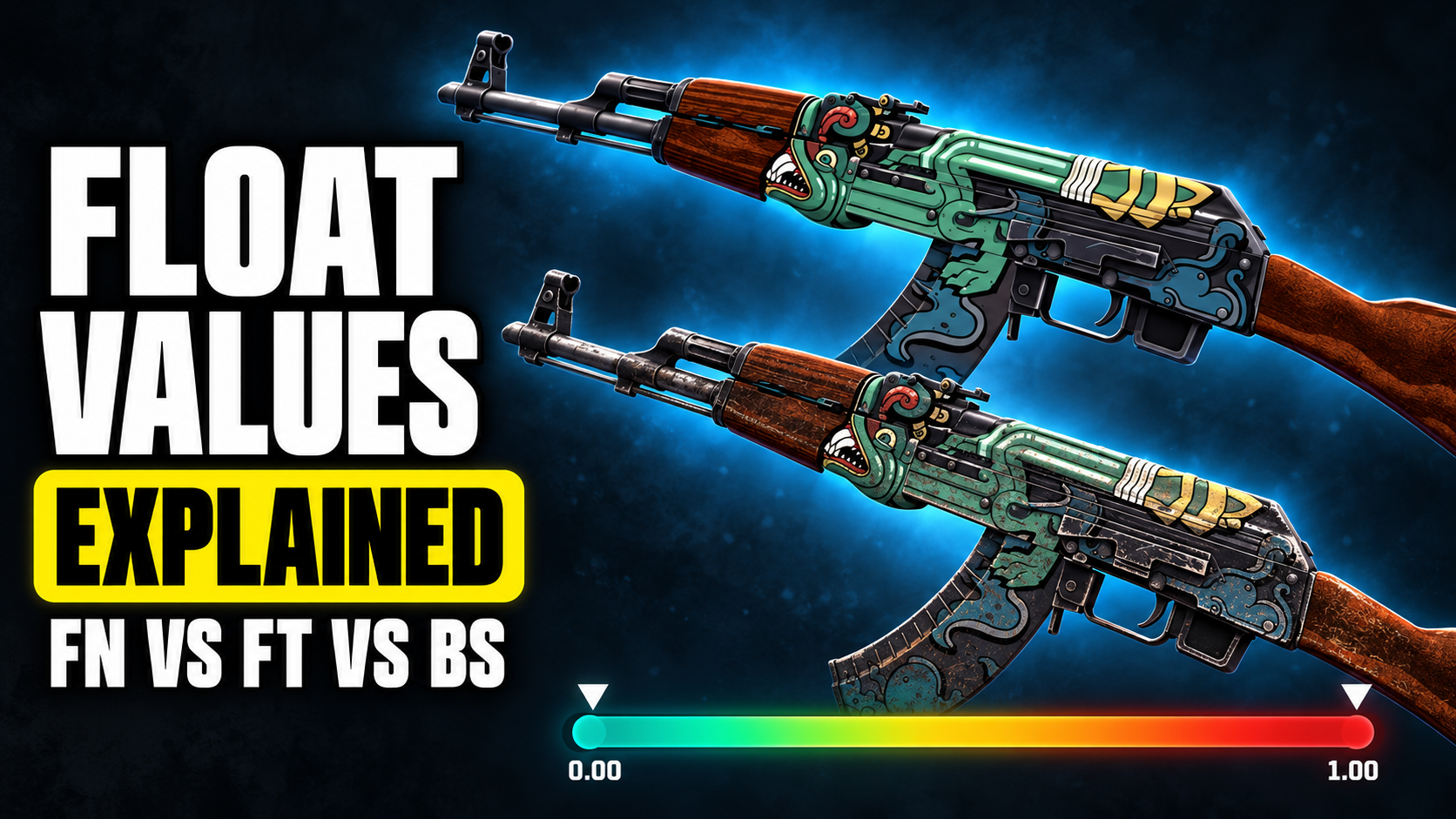
You’re scrolling the market and find two copies of the same skin. Both say Field-Tested. One costs $9, the other costs $16. You open the cheaper one and it looks like it was used to dig a well. The expensive one looks almost brand new.
Welcome to float values. It’s the hidden number behind every CS2 skin, and once you understand it, you’ll stop overpaying for scratches and start finding skins that look much better than their price tag.
What Is a Float Value?
Every weapon skin in CS2 gets a float value when it drops. It’s a number between 0.00 and 1.00 that decides how worn the skin looks.
The closer to 0, the cleaner the skin. The closer to 1, the more scratches, fading and missing paint.
That number never changes. A skin doesn’t get more worn the more you use it. The float it dropped with is the float it keeps forever, which is good news for anyone who spams the inspect key.
The Five Wear Levels
CS2 groups float values into five wear levels, called exteriors. These ranges are the same for every skin in the game.
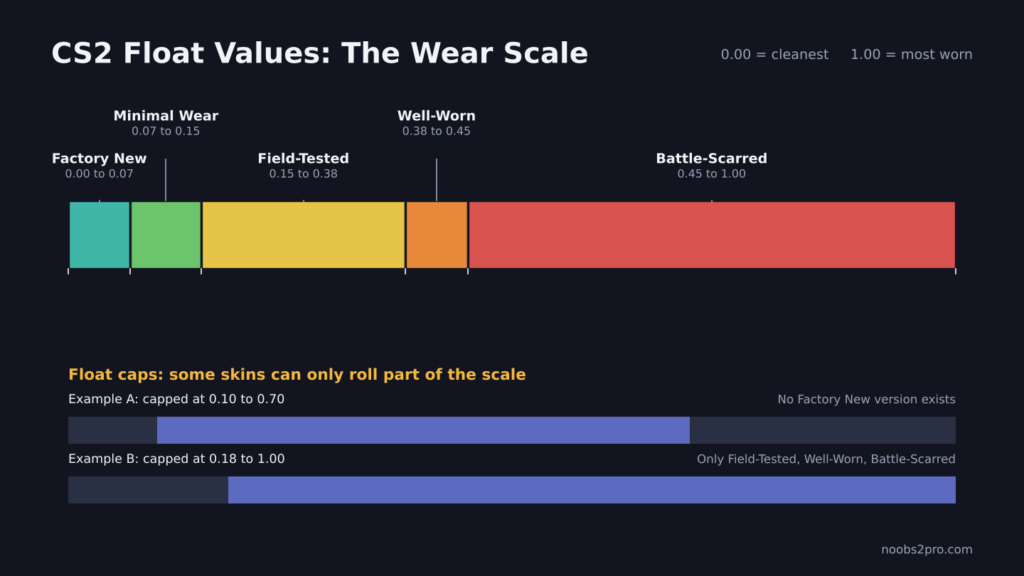
The five CS2 wear levels and how float caps limit some skins (file: cs2-float-values-wear-scale.png)
| Exterior | Float Range | What It Usually Looks Like |
| Factory New (FN) | 0.00 to 0.07 | Clean, sharp, little to no visible wear |
| Minimal Wear (MW) | 0.07 to 0.15 | A few light marks, mostly only up close |
| Field-Tested (FT) | 0.15 to 0.38 | Visible scuffs on edges and raised parts |
| Well-Worn (WW) | 0.38 to 0.45 | Clear wear, fading and scratches |
| Battle-Scarred (BS) | 0.45 to 1.00 | Heavy wear, paint missing in large patches |
These are hard cutoffs. A skin with a float of 0.0699 is Factory New. A skin with 0.0701 is Minimal Wear. That tiny difference can change the price a lot, even though nobody could tell them apart in a real match.
Why Two Skins With the Same Wear Look Different
This is the part most new buyers miss. Look at the Field-Tested range again: it runs all the way from 0.15 to 0.38. That’s a huge gap.
A Field-Tested skin at 0.16 looks very close to Minimal Wear. A Field-Tested skin at 0.37 looks almost Well-Worn. Same label, very different weapon.
Battle-Scarred has the same problem on an even bigger scale. It covers everything from 0.45 to 1.00, so a “BS” skin can be mildly scratched or completely destroyed.
So when you shop, don’t stop at the wear label. Check the actual float number.
Float Caps: Why Some Skins Never Come in Factory New
Not every skin can roll the full 0.00 to 1.00 range. Each skin has its own minimum and maximum float, and the game picks a value inside that window.
Two well-known examples:
| Skin | Float Window | What That Means |
| AK-47 Redline | 0.10 to 0.70 | There is no Factory New Redline |
| AWP Asiimov | 0.18 to 1.00 | Only Field-Tested, Well-Worn and Battle-Scarred exist |
This matters when you’re shopping. If someone tries to sell you a “Factory New” version of a skin that can’t exist in Factory New, you’ve just found a scam. Float caps also push prices up for the cleanest possible version of a skin. A Minimal Wear Redline can only come from the narrow 0.10 to 0.15 slice, so it costs a lot more than a Field-Tested one.
How to Check a Skin’s Float
For skins you own: open your inventory in CS2, select the skin and inspect it. The item info shows the wear rating, which is the float value.
For skins on a market: most listings include an inspect link. Paste it into a float checker tool and it shows the exact float and pattern number. Many trading sites show the float right on the listing too.
Be careful with browser extensions that promise to show float values. Some are safe and popular, but scammers also make fake ones. Only use well-known tools, and never install anything a stranger sends you.
How Float Affects Price
Float matters most at the edges of each range, and on skins where wear is easy to see.
| Situation | Price Impact |
| Very low float in Factory New (like 0.00x) | Big premium for collectors |
| Low float Field-Tested (around 0.15 to 0.18) | Small premium, often great value |
| High float Field-Tested (around 0.30 to 0.38) | Usually the cheapest FT copies |
| Very clean Battle-Scarred (around 0.45 to 0.50) | Sometimes looks close to Well-Worn for less |
| Skins with simple, dark designs | Wear is hard to notice, float matters less |
| Bright skins with clean lines | Wear is obvious, float matters more |
Smart Ways to Save Money
Buy the low float version of a cheaper wear. A Field-Tested skin at 0.15 or 0.16 often looks almost identical to Minimal Wear in game, and it costs less.
Inspect before you pay. Some skins show wear on the side you never see while playing. If the scratches are only on the left side of the gun, you’ll never notice them in a match.
Don’t pay extra for decimals nobody sees. Unless you collect, a float of 0.01 and 0.06 look the same in game. Only pay that premium if you actually care about it.
Check the float cap first. Before buying, look up the skin’s float window so you know which wears are even possible.
FAQs
What is a good float value in CS2?
It depends on the wear. As a rule, the lower the float within its range, the cleaner the skin looks. A Field-Tested skin around 0.15 to 0.18 is a common sweet spot for value.
Does float change when you use the skin?
No. The float value is set when the skin drops and never changes.
Is a lower float always better?
For looks, usually yes. For your wallet, not always. Paying a big premium for a tiny float difference rarely makes sense unless you’re a collector.
Why can’t I find a Factory New version of some skins?
Because those skins have a float cap. Their minimum float is above 0.07, so Factory New is impossible.
Does float affect gameplay?
No. Float is purely cosmetic. A Battle-Scarred AK shoots exactly like a Factory New one.
Now that you know how to read float, put it to use. Check our list of the top AK-47 skins in CS2, or if you’re on a tight budget, our best AK-47 skins under $5.